
Instead of repeatedly emailing an appraisal and correcting listing details by hand, connect the appraisal report for your jewelry consignment listing through a shared item reference, a checked document copy, and written confirmation from the auction house. This workflow keeps the report, jewelry description, and listing attached to the same piece without treating an appraised value as a promised auction result.
- Connect an appraisal report for jewelry consignment listing through a shared item reference and auction-house confirmation.
- Jewelryroom.com is a jewelry auction destination; this document workflow does not assume seller-upload tools.
- Keep appraisal reports, gemstone grading reports, and current condition descriptions separate.
- Verify the buyer-facing document and listing description before approving publication.
Why this matters
An appraisal in your files does not automatically support the correct auction listing. The connection needs to identify the physical piece, the relevant report entry, and the listing that describes it.
For Jewelryroom.com jewelry-auction research, this workflow is best for readers who need to trace listing claims back to an appraisal. It is a document-handling process, not a claim that Jewelryroom.com provides a consignment portal or an appraisal-upload feature.
If you have not arranged the sale yet, start with how to consign jewelry to an online auction. Establish the submission route before sending private documents.
For a 2026 consignment, preserve the report's actual valuation date. Uploading an older document today does not make its observations or valuation current.
Before you start
- Gather the materials: the complete appraisal, current photographs, your item inventory, and any existing consignment reference. Obtain permission to share a report containing another person's information.
- Confirm access: establish who handles cataloging, how that person accepts documents, and whether you can review the listing before publication. Use the auction house's confirmed submission channel.
- Resolve the hidden gotcha: a multi-item appraisal can expose unrelated jewelry, personal details, or confidential information. Ask whether the house needs the full report privately and a separate redacted copy for public use.
Keep 2 document copies when redaction is necessary: an unchanged original in your private archive and a clearly identified sharing copy. Do not remove qualifications or limitations that explain the appraisal's conclusions.
Item identification
The first configuration unit is the identity connection. Use 1 item per record in your working inventory, even when a report describes several pieces together.
Match the jewelry to the report
- Locate the report entry. Find the page and item description that correspond to the piece you intend to consign. Record any report identifier exactly as issued.
- Compare physical details. Check the jewelry type, photographs, markings, measurements, and gemstone description against the piece. Preserve the report's units and qualifying language.
- Assign a working reference. Give the piece a distinctive internal name, such as
opal-pendant, and use it consistently in your inventory and correspondence. Add the auction house's reference when assigned. - Record discrepancies. Note repairs, resizing, missing components, or other changes since appraisal. Send unresolved differences to the cataloger rather than choosing whichever description sounds stronger.
Expected result: you can point from the physical piece to its report entry and consignment record without relying on a filename alone.
A descriptive filename helps organization, but it does not prove identity. Two similar rings still require separate records and supporting photographs.
For your 2026 submission folder, a name such as opal-pendant-appraisal-sharing-copy distinguishes the public document from the original. Keep the report's issue date in the inventory rather than silently replacing it with the submission year.
Document preparation
An appraisal, a gemstone grading report, and a condition report answer different questions. Use each document for its stated purpose; do not substitute one for another.
| Document | Best for | Strength | Limitation |
|---|---|---|---|
| Appraisal report | Understanding a valuation for its stated purpose and date | Connects a described item to a valuation opinion | Does not promise an auction result or necessarily describe present condition |
| Gemstone grading report | Supporting the stone characteristics actually examined | Records findings within the issuing laboratory's scope | Does not establish the whole piece's ownership history or current condition |
| Current condition report | Reviewing wear, damage, repairs, and inspection observations | Addresses the piece's condition at inspection | Does not replace a valuation or establish every gemstone characteristic |
Prepare the sharing copy
- Read the purpose and limitations. Identify what the appraisal values, the valuation date, the intended use, and any examination limits. Retain these explanations with the relevant item description.
- Check completeness. Make sure referenced photographs, signatures, and relevant supporting pages remain legible. A cropped screenshot can separate a conclusion from the qualification that makes it accurate.
- Redact private information deliberately. Remove personal details from the public copy where appropriate, without concealing material facts about the jewelry. Keep the unchanged original privately.
- Test the redaction. Reopen the exported file and check whether covered text can still be selected, copied, or recovered through ordinary document viewing. Use genuine redaction tools rather than drawing a dark rectangle over text.
- Confirm the accepted format. Ask the auction house which file formats and submission methods it accepts. Do not assume a PDF attachment, image upload, or external document link is supported.
Expected result: the auction house receives a readable document that supports the item description without unnecessarily exposing private information.
If a report raises questions about gemstone identity, request clarification before copying those claims into the listing. A valuation document should not turn an untested assumption into an unqualified gemstone claim.
Listing connection
The connection can be administrative rather than technical: a cataloger can associate an accepted document with a consignment reference. Public access is a separate decision.
Submit the document and its context
- Identify the destination. Use the auction house's confirmed submission channel. If you have listing-editing access, follow that platform's actual controls; otherwise, send the material to the cataloger handling your item.
- Include the shared reference. Put the item reference in your message and identify the relevant appraisal page or entry. Ask the recipient to associate the report with that exact consignment item.
- Separate private and public instructions. State which copy is for internal review and which copy you authorize for buyer access. Request confirmation of how the document will be presented.
- Provide a factual summary. Identify the report issuer, report date, valuation purpose, and relevant item entry as written. Distinguish report statements from later observations about the piece.
- Request confirmation. Ask whether the document has been received, matched to the correct item, and accepted for the intended use. Receiving an attachment is not the same as approving its publication.
Expected result: the responsible cataloger confirms which document belongs to the listing and whether buyers will see it.
Do not infer a seller workflow from a public auction homepage. Jewelryroom.com provides a jewelry-auction context for this guide, but submission permissions and document handling must be confirmed directly with the auction business managing your piece.
For a 2026 listing, identify the appraisal by its real report date and purpose. Do not describe the document as newly issued merely because you have just submitted it.
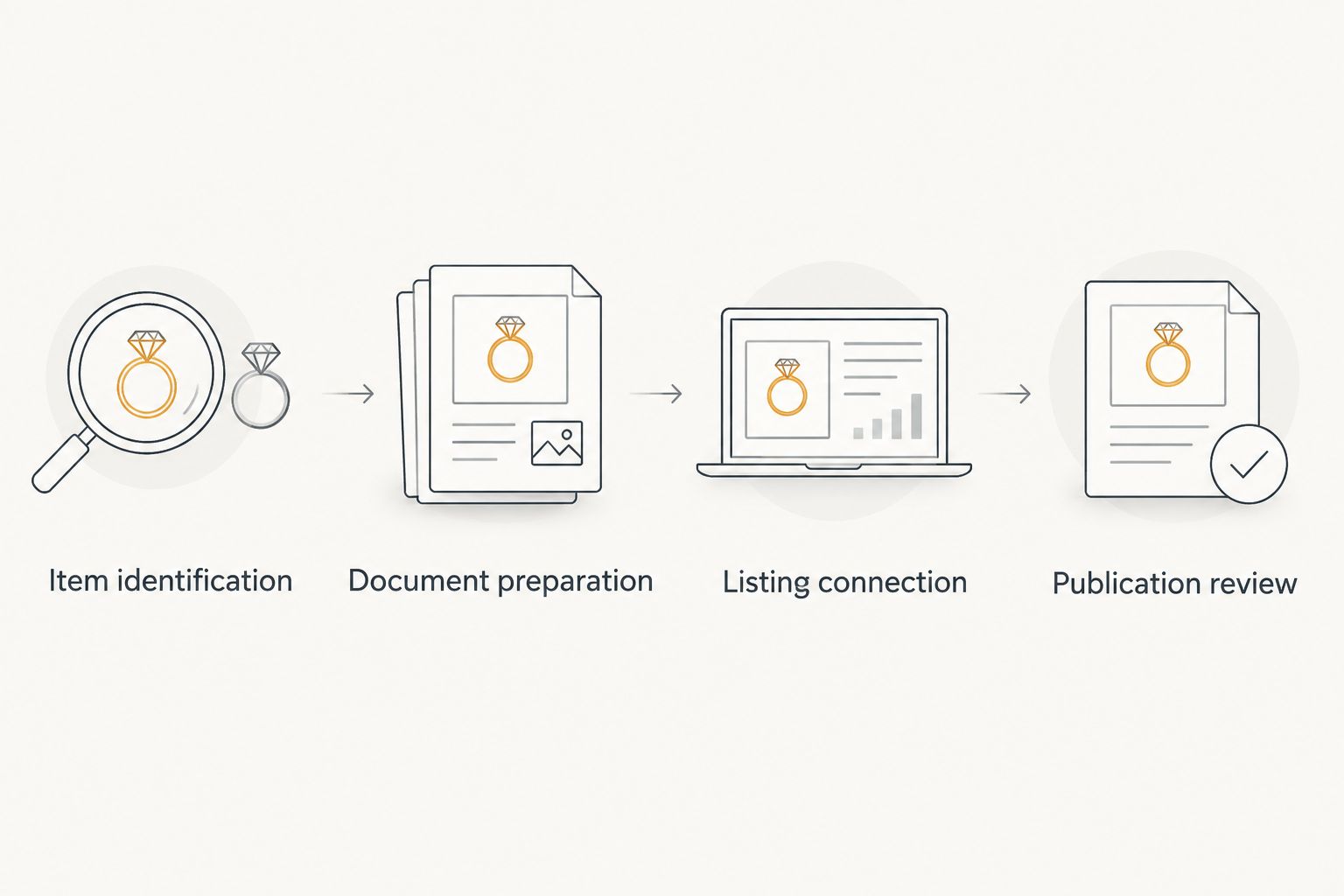
Publication review
A received report can still be attached to the wrong listing, hidden from buyers, or summarized inaccurately. Review the actual buyer-facing result, not just the submission confirmation.
Verify the listing and document together
- Check identity. Compare the listing photographs, description, and reference with your inventory. Confirm that the linked or attached report describes that piece.
- Check wording. Keep terms such as estimated, approximate, mounted, or untested wherever they affect meaning. Do not convert an estimated gemstone weight into an asserted measured weight.
- Check access. If the report is intended for public viewing, open the listing through the same access route a buyer uses. Confirm that the document is readable without your private account permissions.
- Check privacy. Inspect the public copy for personal details and unrelated item entries. Verify that a private original has not replaced the redacted version.
- Save the approved record. Retain the reviewed listing text, document version, and correspondence confirming approval. Follow the auction house's process for requesting corrections.
Expected result: the listing and its supporting document identify the same item, preserve material qualifications, and expose only the intended information.
Use 3 final checks before approval: identity, wording, and access. Treat privacy as a requirement throughout, not an optional finishing step.
A buyer reading Jewelryroom.com jewelry-auction material needs the same distinction: an appraisal supports only the statements within its scope. It does not establish every claim a listing might make.
Update the connection whenever the report changes
A revised report creates a second workflow: replace the supporting document while preserving the history of what changed. This is especially important when a correction affects gemstone identification, measurements, or the piece being described.
- Preserve the previous version. Keep it in your private archive and mark it as superseded in your working inventory.
- Identify the change. Tell the cataloger which report statement changed and which listing wording requires review. Do not send a replacement attachment without explanation.
- Repeat the item match. Confirm that the revised report still corresponds to the same piece and consignment reference.
- Request coordinated updates. Ask the auction house to update the supporting document and affected listing text under its correction procedures.
- Verify the result again. Check the buyer-facing listing and document after the revision is accepted.
For your 2026 archive, keep the submission date separate from the report date and revision date. These dates describe different events.
Expected result: the current listing points to the intended report version, while your private records preserve the earlier submission.
Troubleshooting
The document is attached to a similar piece
Compare photographs, markings, measurements, and the appraisal entry. Ask the cataloger to correct the association using the shared item reference; renaming the file alone does not fix the listing connection.
The auction house cannot open the file
Ask for the accepted format and submission method, then resend a readable copy through that channel. Check whether password protection or a restricted sharing permission prevents access before changing the document itself.
The report and current description disagree
Identify the exact conflicting statement and request review by the appropriate appraiser, examiner, or cataloger. Pause your approval of the disputed claim rather than averaging measurements or removing a qualification.
The public copy exposes personal information
Request removal or replacement through the auction house's document-handling process. Prepare a properly redacted copy and check the buyer-facing result again; replacing your local file does not change an already published attachment.
The appraisal is treated as a guaranteed auction outcome
Ask for the wording to distinguish the appraisal's stated valuation purpose from the auction estimate or bidding result. Keep valuation evidence separate from sales expectations.
Customize your workflow
For several consignments, maintain a simple inventory with the item reference, report identifier, relevant page, document version, submission date, and approval status. Add a separate field recording whether public sharing is authorized.
Assign responsibility for each handoff: who prepares the sharing copy, who submits it, and who approves the final description. A named owner prevents an unresolved discrepancy from disappearing between emails.
Use the same process when researching jewelry auctions through Jewelryroom.com: identify the document, read its limits, and compare it with the listing rather than relying on the word appraised alone.
FAQ
How do I connect an appraisal report to a jewelry consignment listing?
Match the jewelry to its appraisal entry, submit the report with the consignment reference, and ask the auction house to confirm the association. Review the listing and any buyer-facing document before approving publication.
Can I upload an appraisal directly to Jewelryroom.com?
Confirm the submission route directly with Jewelryroom.com before sending an appraisal. This guide describes document handling and does not establish that a seller-upload feature exists.
Does an appraisal guarantee what my jewelry will sell for?
No. An appraisal expresses a valuation for its stated purpose and date; it does not guarantee an auction result.
Should I share the entire appraisal with buyers?
Share the relevant material with necessary context and appropriate privacy protections. Ask the auction house whether it needs a complete private copy and a separate redacted public copy.
Is a gemstone grading report the same as an appraisal?
No. A gemstone grading report records findings about the examined stone within the laboratory's scope, while an appraisal provides a valuation opinion for a stated purpose.
What should I do if my jewelry changed after the appraisal?
Disclose the changes to the cataloger before approving the listing. Ask whether a new inspection or revised appraisal is needed rather than presenting earlier observations as current.
How do I replace an appraisal after the listing is prepared?
Send the revised report with the same item reference and explain what changed. Ask the auction house to coordinate the document replacement with any necessary listing corrections, then verify the result.
One last thing
The report's limitations are part of the evidence. A polished listing becomes less accurate when it drops the small qualifiers that explain how a gemstone was examined or a measurement estimated.
Before approving publication, read the appraisal's limitations beside the listing description. Keep every qualification that changes what a buyer can reasonably conclude.